Customer Service
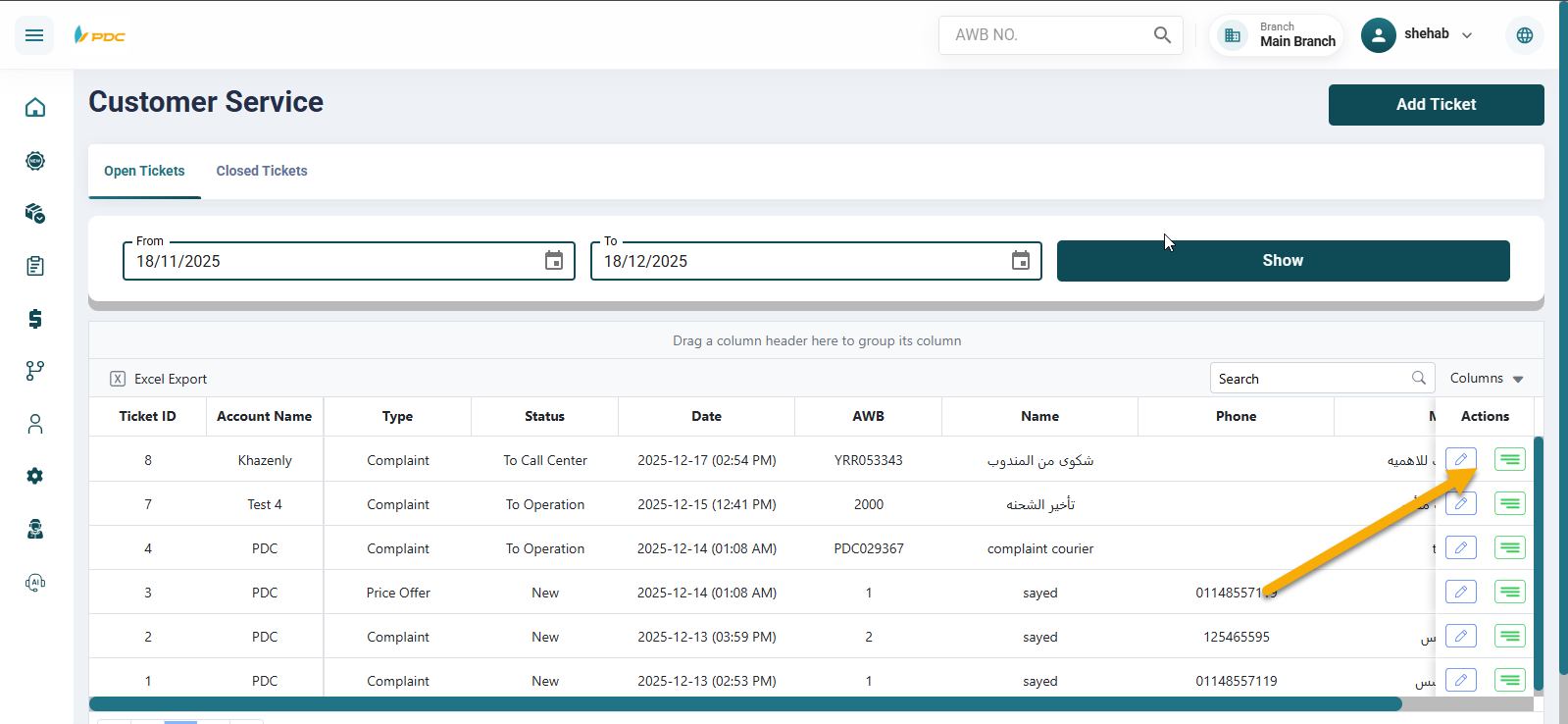
The Customer Service screen displays customer complaints submitted through the portal. Once an Operations or Customer Service employee accesses this screen, all shipments with submitted complaints appear in front of them.
By clicking the Edit button, the employee can assign a status to the complaint in order to start working on it and follow it up.
By clicking the Details button next to it, the employee can view the previous statuses that were added to the shipment by other employees, if any.
Additionally, the employee can create a new customer complaint directly from this screen by clicking the Add Ticket button. After that, the employee selects:
- The customer Account Name
- The Complaint Type
- The Customer Name
- The Phone Number
- The Complaint Details
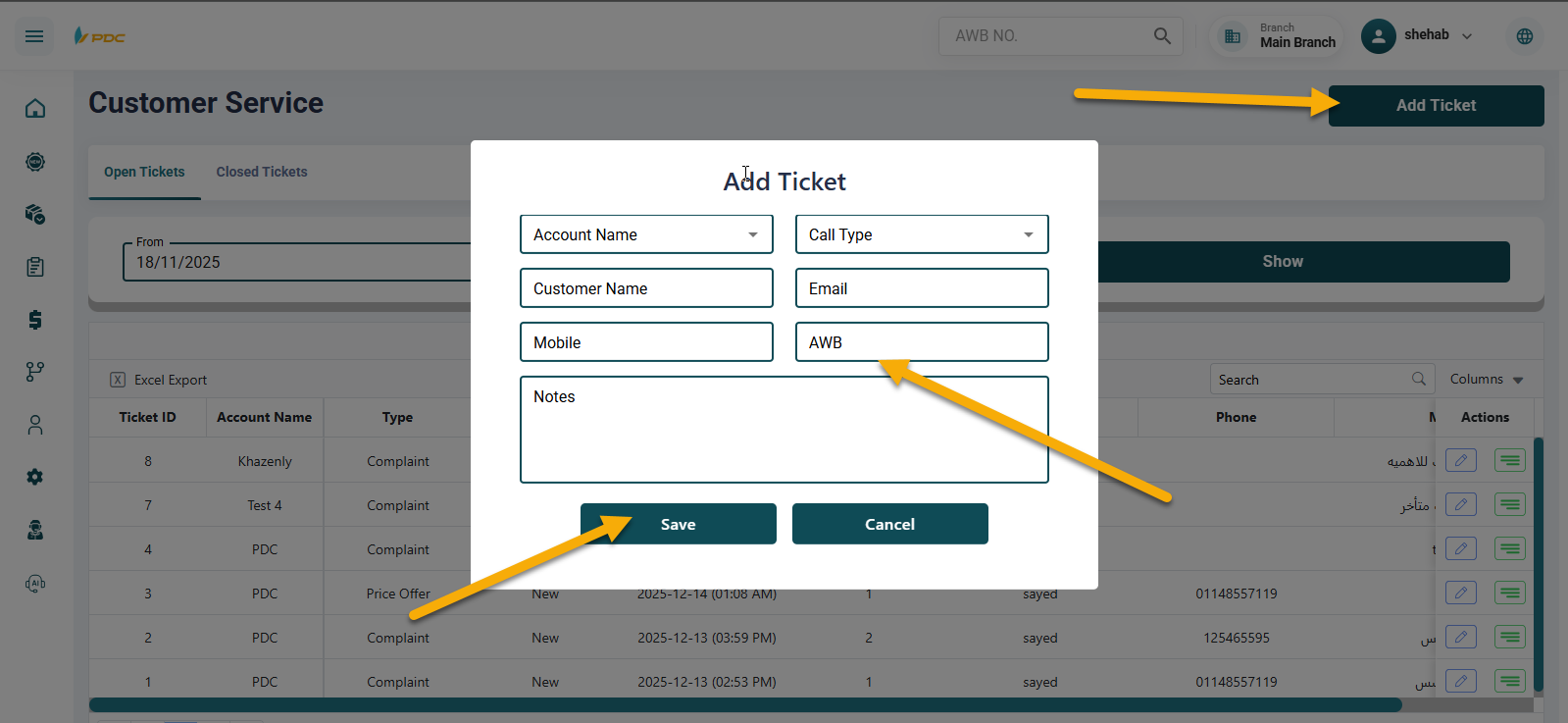
Then, by clicking Save, the complaint is registered in the system and can be processed and followed up using the same workflow mentioned above.